准备一个域名和一台vps,并将域名解析到vps。
搭建好宝塔并安装nginx
宝塔和nginx完成以后,回到vps SSH窗口
执行命令bash <(curl -L https://raw.githubusercontent.com/v2fly/fhs-install-v2ray/master/install-release.sh)
执行完后,回到宝塔面板,
左侧文件,依次打开,如下图所示
 编辑config.json这个文件,打开文件后先清空里面的内容,再粘贴下面代码进去并保存
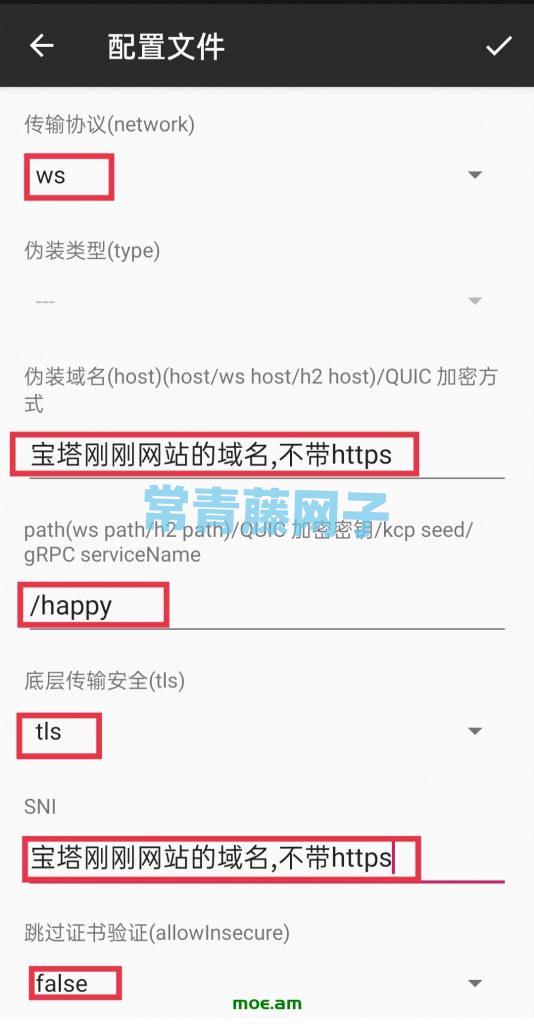
{ "log": { "loglevel": "info", "access": "/var/log/v2ray/access.log", "error": "/var/log/v2ray/error.log" }, "inbounds": [ { "port": 10000, "listen":"127.0.0.1", "protocol": "vmess", "settings": { "clients": [ { "id": "000fe881-b655-4212-b804-b00f9970d5aa", "alterId": 64 } ] }, "streamSettings": { "network": "ws", "wsSettings": { "path": "/happy" } } } ], "outbounds": [ { "protocol": "freedom", "settings": {} } ]}
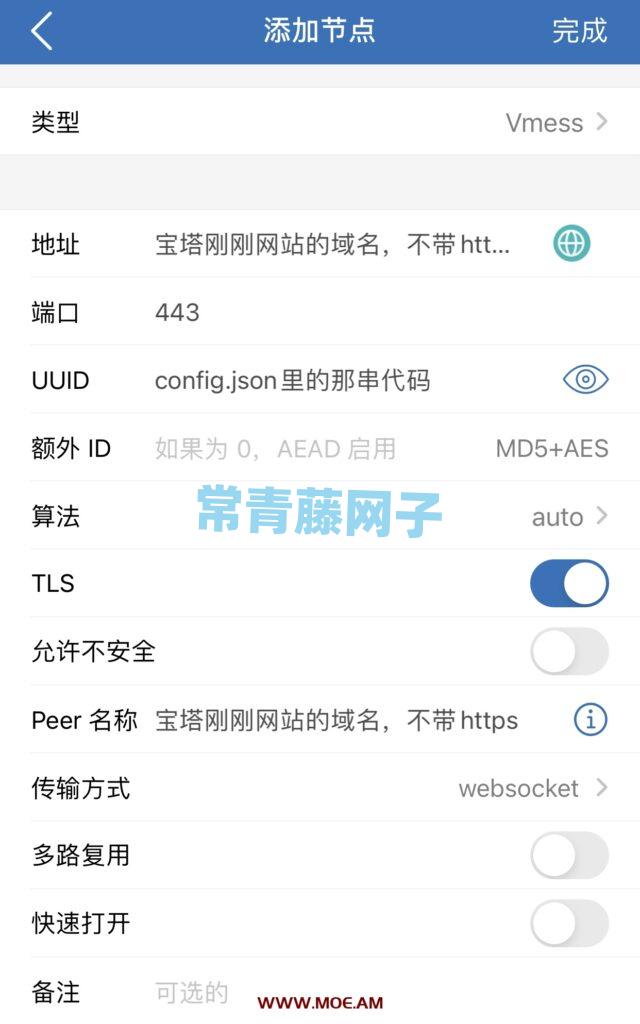
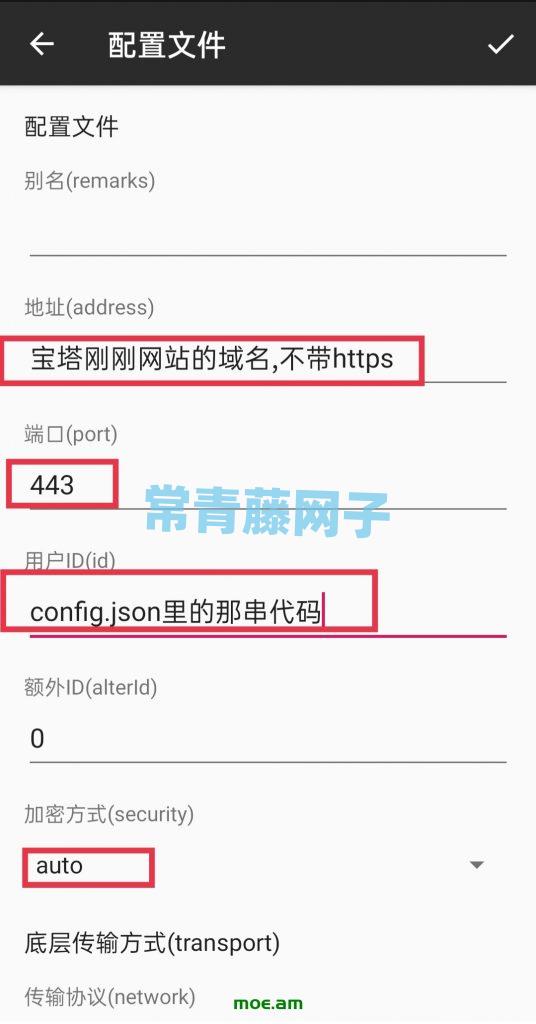
代码中的000fe881-b655-4212-b804-b00f9970d5aa可以变更一下。比如换几个数字。相当于是个密码。但是格式必须相同(小火箭里的UUID指的就是这串代码)
然后宝塔新建一个网站(域名是文章开头你解析的),如下图所示(数据库,PHP都无所谓)
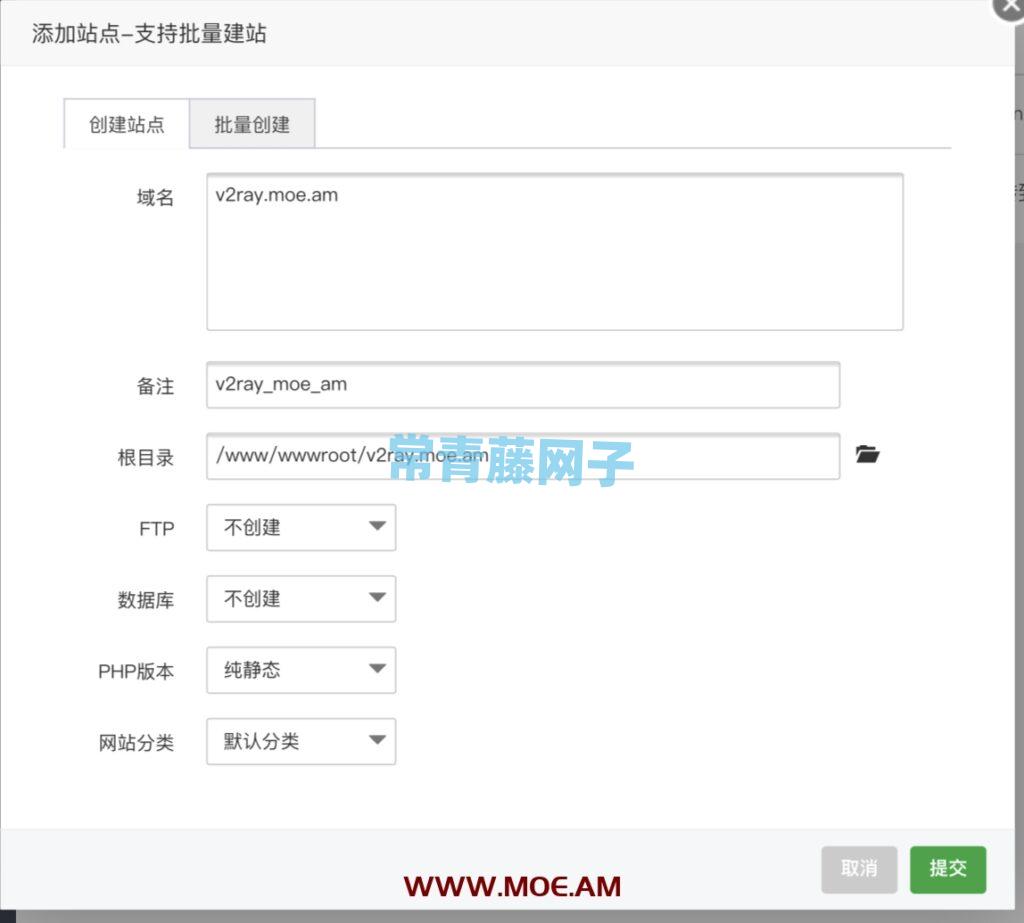
首先申请SSL证书(这步不用说了吧)
然后点击配置文件,在配置文件最顶部添加以下代码
# 定义变量map $http_upgrade $connection_upgrade { default upgrade; '' close;}
 然后大概这个位置(如下图)添加以下代码
#v2配置文件 location /happy { proxy_pass http://127.0.0.1:10000; proxy_redirect off; proxy_http_version 1.1; proxy_set_header Upgrade $http_upgrade; proxy_set_header Connection "upgrade"; proxy_set_header Host $http_host; }
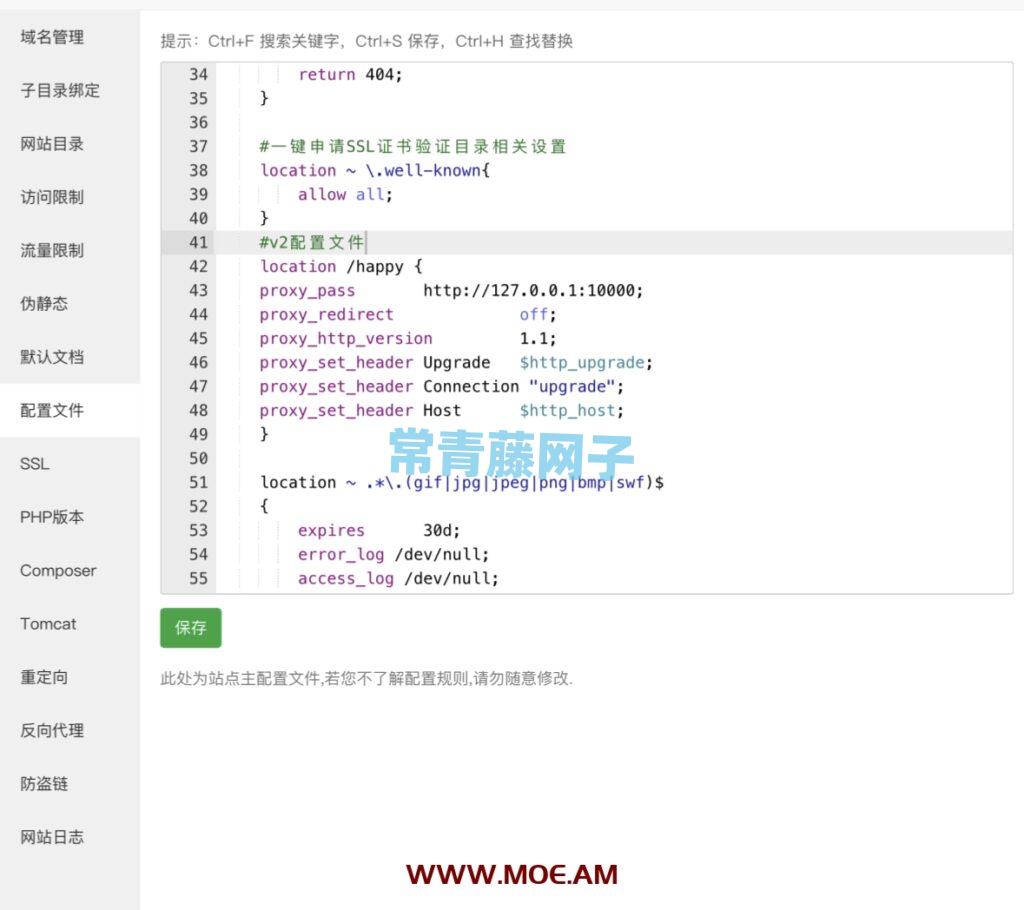
保存
回到vps SSH窗口
启动v2ray
systemctl start v2ray
设置开机自启
systemctl <span class="prism-token prism-function">enable</span> v2ray
OK,V2ray服务端已全部完成
下面说ios小火箭配置:

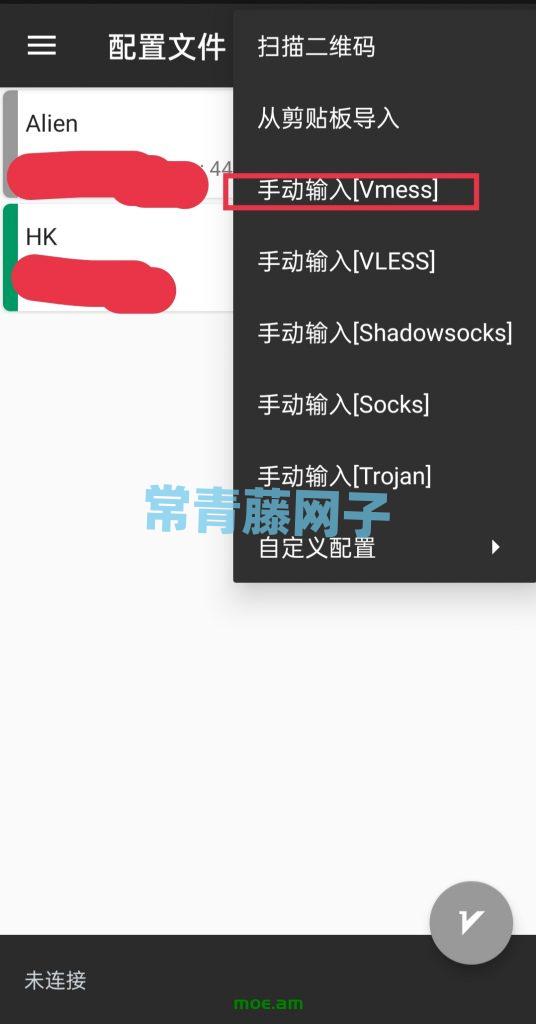
安卓V2rayNG配置:
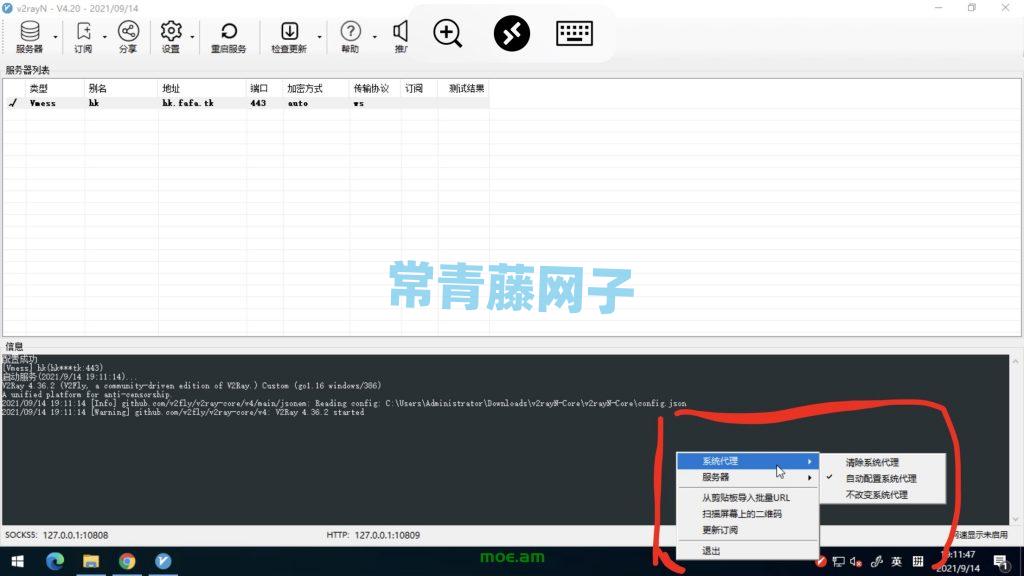
Windows V2rayN配置:
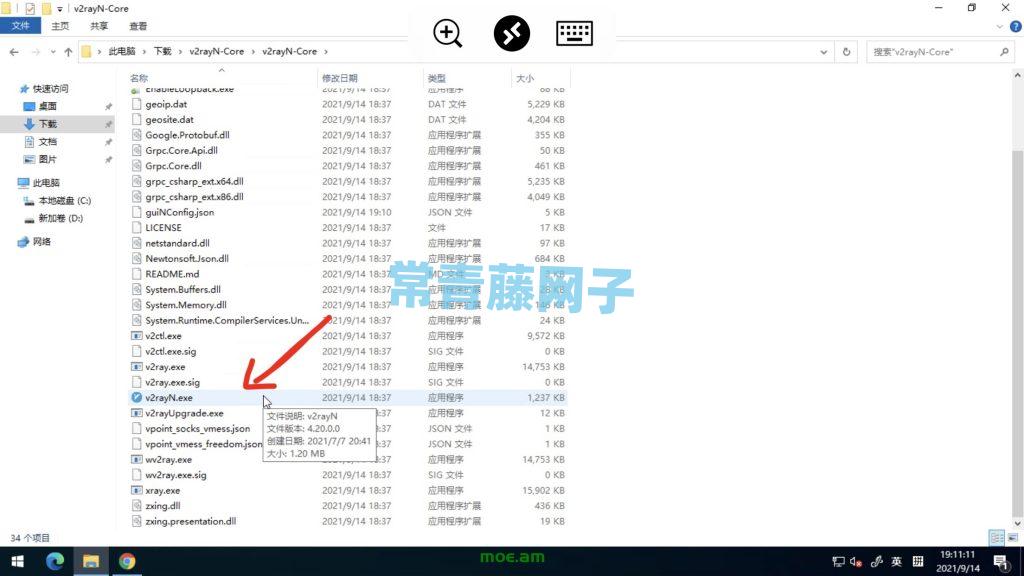
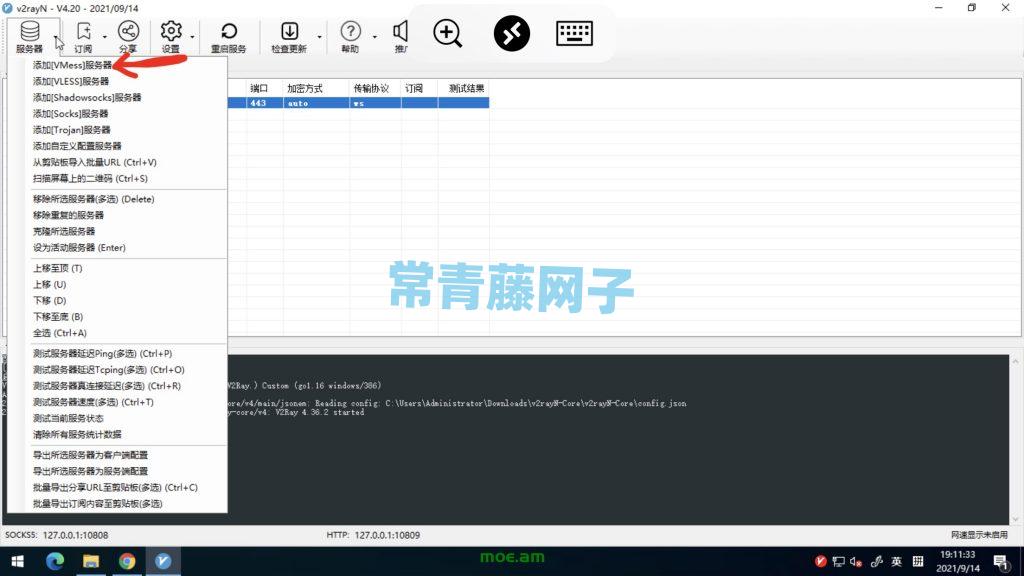
V2rayN左上角点击服务器,添加Vmess协议,配置就按照上面安卓的照葫芦画瓢
v2ray其他常用命令
## 启动
systemctl start v2ray
## 停止
systemctl stop v2ray
## 重启
systemctl restart v2ray
## 开机自启
systemctl enable v2ray
##卸载v2ray
先停止v2ray
systemctl stop v2ray
systemctl disable v2ray
再执行一键移除
bash <(curl -L https://raw.githubusercontent.com/v2fly/fhs-install-v2ray/master/install-release.sh) --remove